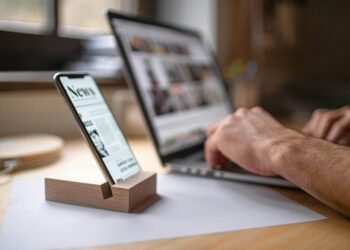


Smartphones are a boon for productivity, allowing us to work from nearly anywhere where there’s a Wi-Fi or mobile connection. These days, there’s not much that you can do on your laptop that you can’t do on your mobile device.
That said, there are some tweaks and hacks that can take your productivity and mobile experience to a whole new level. Jace Chen, realme Country Manager, shares his insights:
Choose the right apps
One of the most crucial aspects of mobile productivity is ensuring you have the right tool for the job. Look for apps that are easy to use, secure and compatible with your device. You’ll probably want to look for the mobile versions of the apps you use on your laptop, including options like Microsoft Office, Google Docs, Slack, Zoom, and Dropbox. Using apps and tools that sync with each other can give your productivity a big boost.
Optimise and organise
Take some time to personalise your device to your needs and set it up to help you to be as productive as possible. Place your most-used productivity apps on your home screen for quick access and create folders for similar apps to reduce clutter and streamline navigation.
Add widgets for calendars, to-do lists, and notes to the home screen to have essential information at a glance. It also helps to personalise app interfaces and settings to suit your working style.
Make the most of your battery life, storage and data
If you’re on the go the whole day, there’s a good chance that your smartphone battery will run out. You might also find yourself running out of storage space and data if you’re constantly on your phone. Consider carrying a power bank and car charger with you. You can maximise storage by deleting unneeded apps and storing data in the cloud. To save data, use Wi-Fi whenever possible and turn off background data for apps you don’t use.
Use voice commands and dictation
it can sometimes be challenging to type quickly while on the move. Use your phone’s voice assistant (Google Assistant, Siri) to set reminders, send messages, and check your calendar. Dictation can be a faster way to take notes or draft emails when typing is impractical.
Keep it human and personal
Apps like Zoom, Microsoft Teams, or Slack make it easy to stay in touch with your team. Don’t lose the human touch when working remotely. Video calls rather than voice calls can be a great way to build rapport.
Stay focused at work but unplug after hours
As wonderful as smartphones are, the lines between work and personal life can become blurred if you have only one device for both. Customise your notifications to minimise distractions from social media and other personal apps when you’re focusing on work. Likewise, ensure that you don’t get stressed by work-related calls and notifications during your downtime.
Android has some great features to help. You can set up separate work and personal profiles. When you switch to personal, your work apps are hidden. Focus mode, meanwhile, lets you pause selected apps. You can turn off a distracting apps with a tap so you can concentrate on your work tasks.